Boolean Operators for Brand Monitoring: Key Rules and Examples


Most brand monitoring setups are broken—not because the platform is wrong, not because the data is missing, but because someone typed "Nike" into the search bar and got 4,000 posts about marathon training.
Boolean operators are the fix. AND, OR, NOT, double quotes, parentheses, wildcards—George Boole published the underlying logic in 1854, and the same framework still runs through every search engine, social listening platform, and academic database in use today.
Most explainers cover what AND, OR, and NOT do in isolation. This one covers how to combine them into Boolean search strings that actually work, why people keep getting them wrong, and how to use Boolean operators to get useful search results instead of noise.
What are Boolean operators?
Boolean operators are words and symbols used to combine or exclude keywords in a query to narrow or broaden results. They come from George Boole's work developed in 1854—they are built into every search engine, database, and monitoring tool that lets you do anything beyond a basic keyword lookup.
College students encounter Boolean operators in university training courses for a specific reason: the structure is the same across every platform. From academic databases like JSTOR and PubMed to enterprise databases, CRM filters, and social listening platforms, the AND/OR/NOT structure is identical. Only the syntax differs. That is what makes it worth learning properly rather than just guessing as you go.
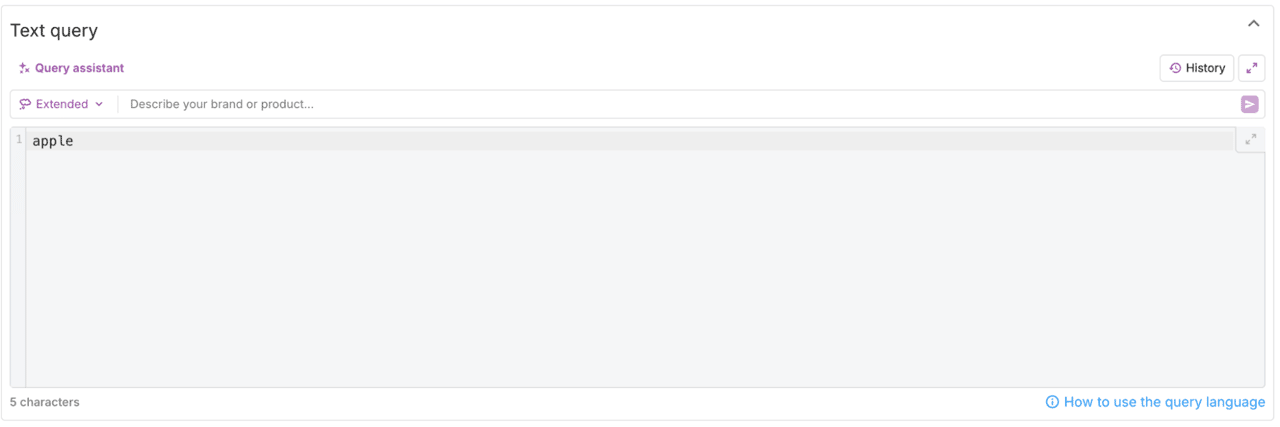
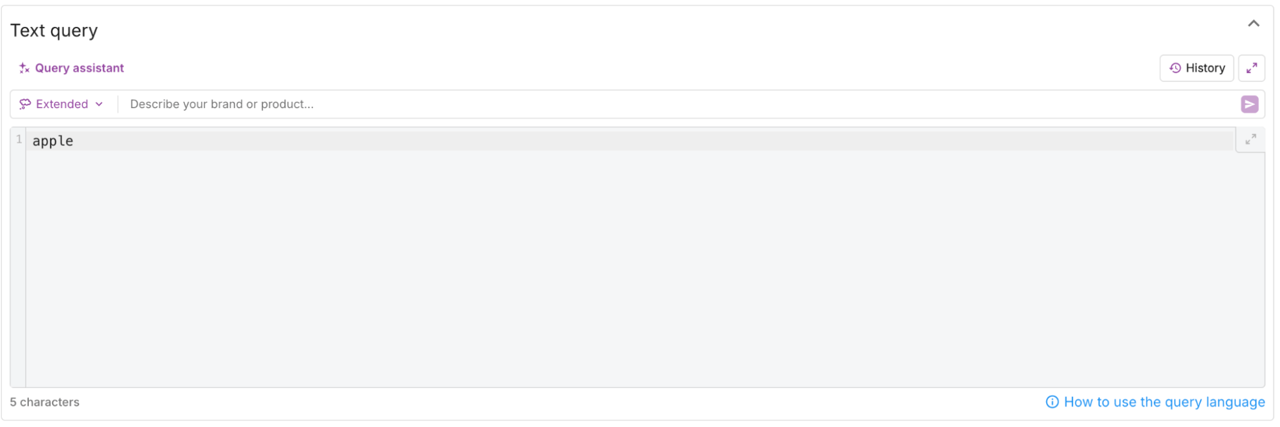
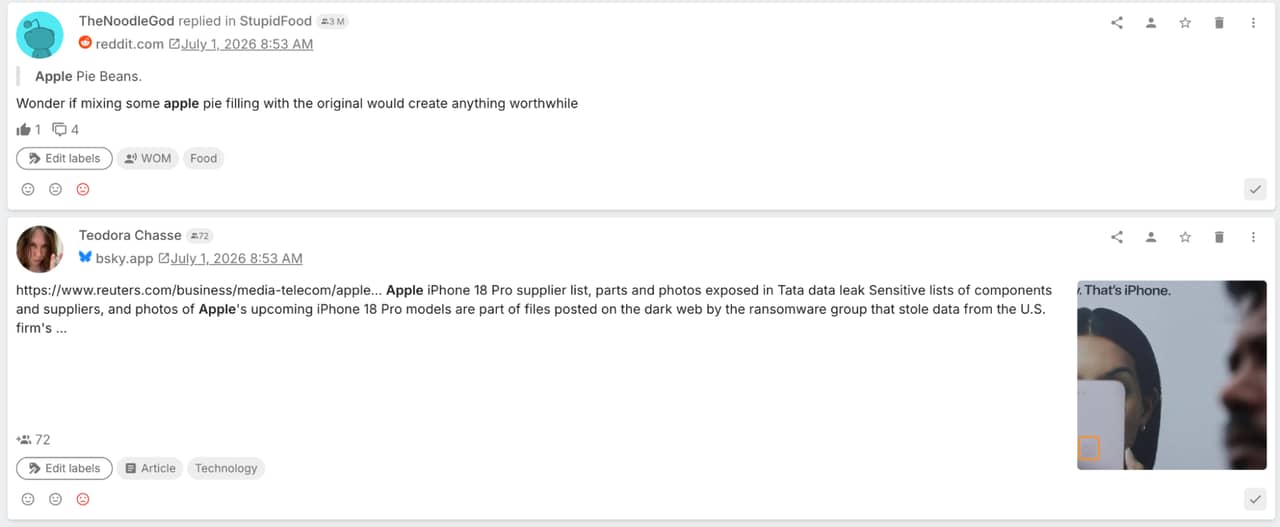
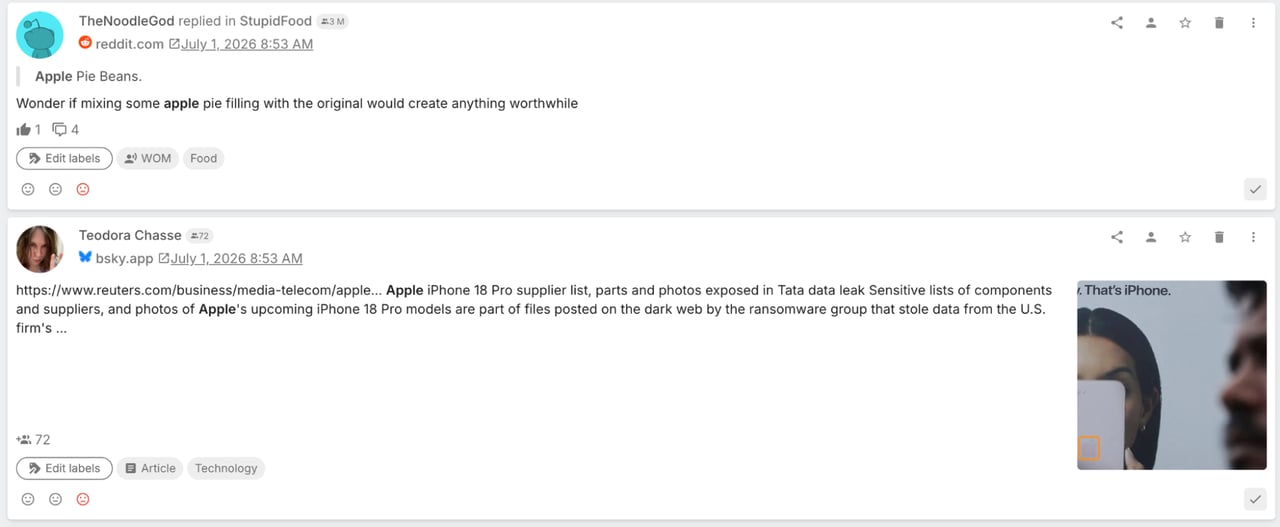
For social listening, the practical stakes are high. Type "Apple" into a monitoring tool without these operators and you get tech news sitting next to fruit recipes. These tools let you define which search results come back, what gets excluded, and how keyword variants get handled. The difference is immediate, and it compounds fast at scale.
The core boolean operators explained
Six options. Not all of them are equally important—AND and OR do most of the real work, NOT is the one people misuse most, parentheses are criminally underrated, and the wildcard is useful but niche. Here is what each one does.
AND — narrow your search
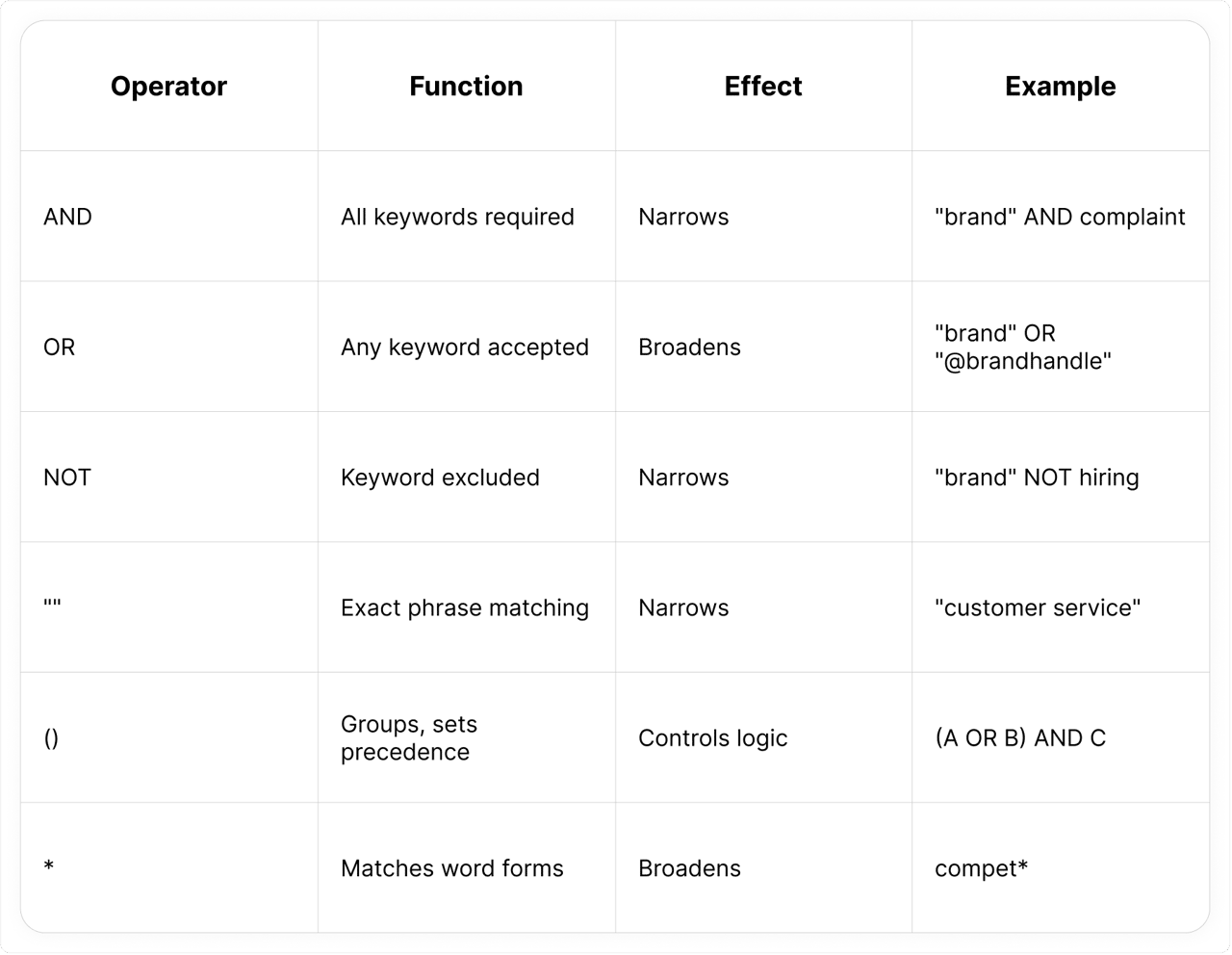
AND is the fundamental filtering tool: it returns only results that contain all specified keywords. Add more AND requirements and the result set shrinks further. The string "Nike" AND complaint keeps only posts connected to both—filtering out general brand chatter with no relation to unhappy customers.
Here is where AND gets interesting in practice. You can chain it: ("Nike" OR "@Nike") AND ("shipping" OR "delivery") AND complaint. Every result must contain all connected search terms. The above example shows how AND chaining creates a boolean string from just a few keywords—though the risk is going too specific too early and cutting real conversations.


OR — broaden your search
OR returns results containing any of your specified keywords—essential for handling synonyms, abbreviations, and the many ways people refer to the same brand online.
A string like ("BrandName" OR "@BrandHandle" OR "Brand Name" OR "BrandNme") is the foundation of good brand monitoring. That OR group example covers four connected keyword forms for one brand. Without it, you are leaving mentions uncaptured every day. The evidence is clear on this: a plain keyword lookup misses a significant share of relevant mentions that a well-built OR group catches.
NOT — exclude words from results
NOT is used to exclude results that contain a specific keyword. Apple NOT fruit NOT recipe is the classic example—it works. The problem is that NOT also destroys relevant data if you add it before checking what you are cutting. Every single result containing that keyword gets cut, even results where the context is exactly what you wanted.
The right approach: build the string, run it, look at what comes back. Then add NOT exclusions based on what you observe. Adding NOT is not necessarily right until you have seen the data. That is the single most important thing to know about NOT.
Quotation marks ("") — exact phrase matching
Without quotation marks, customer service returns results where those words appear anywhere on the page. This technique filters to the precise sequence: "customer service" only returns posts where those terms appear adjacent, in that order.
A clear example: "Red Bull" versus Red Bull. Without the quotes, anything containing "red" or "bull" anywhere in the text qualifies. With quotes, you get the brand.
Parentheses () — group and prioritize
Parentheses might be the most important operator to get right—and the most commonly skipped. They set operator precedence: the search string is processed from the innermost parentheses outward. Nested parentheses—one group inside another—are evaluated first, then the outer conditions apply.
Without them: "brand" OR "product" AND complaint runs as "brand" OR ("product" AND complaint). You get every brand mention plus product complaints—not the brand-or-product complaints you wanted. With them: ("brand" OR "product") AND complaint. Wrap your OR groups. Always.
Wildcard / asterisk (*) — match word forms
An asterisk at the end of a word stem catches all forms of that root. compet* picks up competitor, competing, competition, competitive. Useful when the concept matters more than the specific form, and it saves you from writing out separate OR entries for every form.
Worth flagging: asterisk support varies significantly by platform. Academic databases handle it reliably. Several social listening tools do not. Check the documentation before your monitoring setup depends on it.
The following table summarizes all six. It is a useful reference to keep in mind while building a search string.
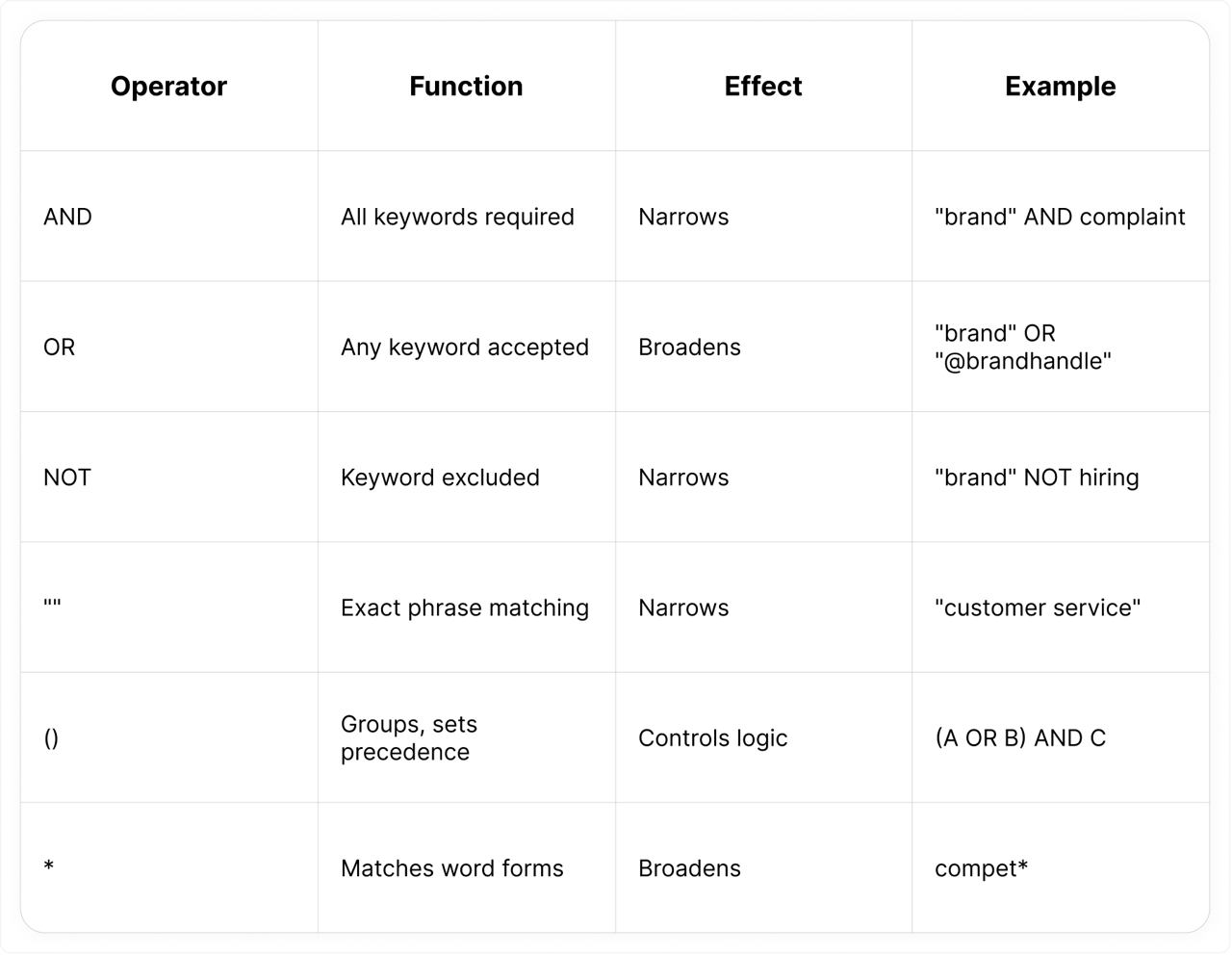
Advanced search techniques: phrase searching, proximity operators, and boolean search operators
AND, OR, NOT cover about 90% of what you will actually need. These three advanced search techniques go further—though two of them are more specialized than most guides suggest.
Phrase searching
This is the quotation mark technique described above. It is worth naming explicitly as a distinct technique because it is taught explicitly in university training courses—college students learn it first when arriving at university because it immediately solves the most frustrating search problem: results that technically contain your keywords but have nothing to do with your topic.
In social listening, phrase searching is most useful for multi-word brand names, product names with common words, and specific intent signals. It is especially useful when the title of a post contains your brand name alongside unrelated words—if you are interested in title-level precision, this is the technique to use.
Proximity operators
Proximity operators specify how closely two keywords must appear in a sentence. NEAR/5 means within five words. It sits between exact matching—too rigid—and AND, which is too loose for some queries. An example: brand NEAR/5 complaint returns posts where those search terms occur within five words of each other in the same sentence. The query is processed by the platform to return results that are more relevant than a broad AND query—it is especially useful when the exact sentence structure varies.
Search strategies for brand monitoring
The real skill is combining everything above. Exact matching for brand names. AND for topic focus. Proximity operators when AND is pulling too much noise. NOT for confirmed garbage keywords.
How to use Boolean operators: building your search string
There is no magic formula. There is a reliable order though, and working through it means you can effectively create a Boolean string without having to rebuild from scratch each time.
Begin with your core search terms—brand name or topic in double quotes if it is multi-word: "Oat Milk Brand". Then build an OR group for every name variant you know about. Look at existing mentions first to find the actual misspellings: ("Oat Milk Brand" OR "@OatMilkBrand" OR "OatMilkBrand" OR "Oat Milk Bran").
Connect that OR group with AND and a focus keyword: ("Oat Milk Brand" OR "@OatMilkBrand") AND (review OR feedback OR opinion OR rating). Run that. Look at the data. That is when you add NOT exclusions—not before. The most common ones are NOT (job OR hiring OR intern OR sponsored), but only if those terms are actually inflating your results.
Then iterate. Refine based on what comes back. You can also use other operators to limit the results further—and create a more targeted search string—at any stage. Most stable monitoring strings go through two or three rounds. Normal.
A complete brand monitoring example:
("BrandName" OR "@BrandHandle" OR "Brand Name") AND (review OR feedback OR opinion) NOT (job OR hiring OR career OR intern)
And a crisis monitoring example—narrower by design, because when something is actively going wrong, precision matters more than coverage:
"BrandName" AND (fail OR broken OR scam OR outage OR "doesn't work" OR refund) NOT ("not a" OR parody OR joke)
Boolean operators in social listening: key use cases
Brand mention monitoring
This is where weak search setup does the most sustained damage. A plain keyword search for "Slack" or "Apple" returns thousands of irrelevant search results daily—news articles, blog articles, forum threads, and review sites. Analysts spend more time filtering than analyzing.
The fix is an OR group and a NOT exclusion or two. The social listening glossary is worth referencing for industry-specific keywords that belong in your OR group and that you might not think of on your own.
Competitor intelligence
Combine competitor keywords with switching language. For example:
("CompetitorA" OR "CompetitorB") AND ("switching to" OR "alternative" OR "vs" OR "better than")
Crisis detection and sentiment filtering
Crisis monitoring is where precise search operators pay off most—when something is going wrong, and you need to catch it fast. Here is an example search string watching for negative signals in real time:
"BrandName" AND (fail OR broken OR scam OR outage OR "doesn't work" OR refund) NOT ("not a" OR parody OR joke)
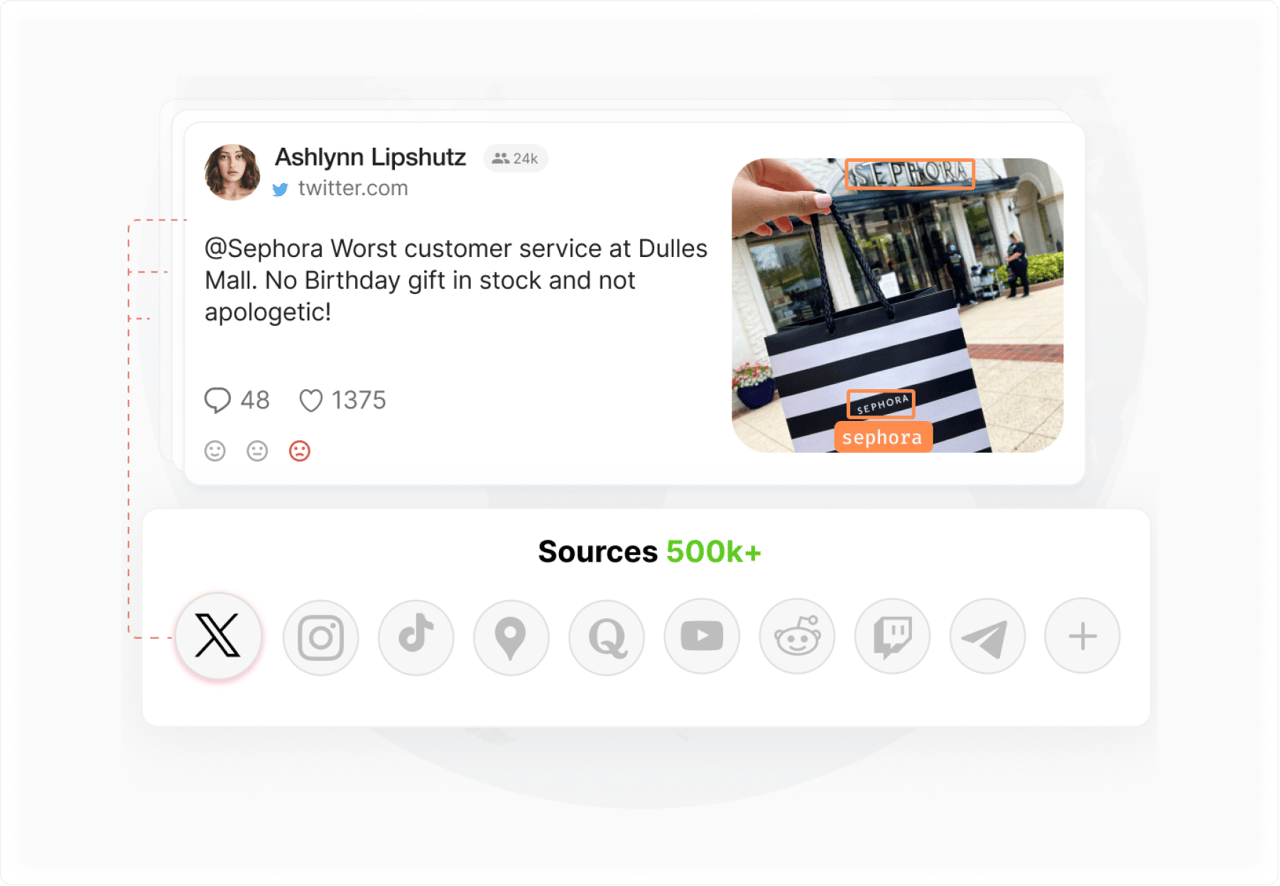
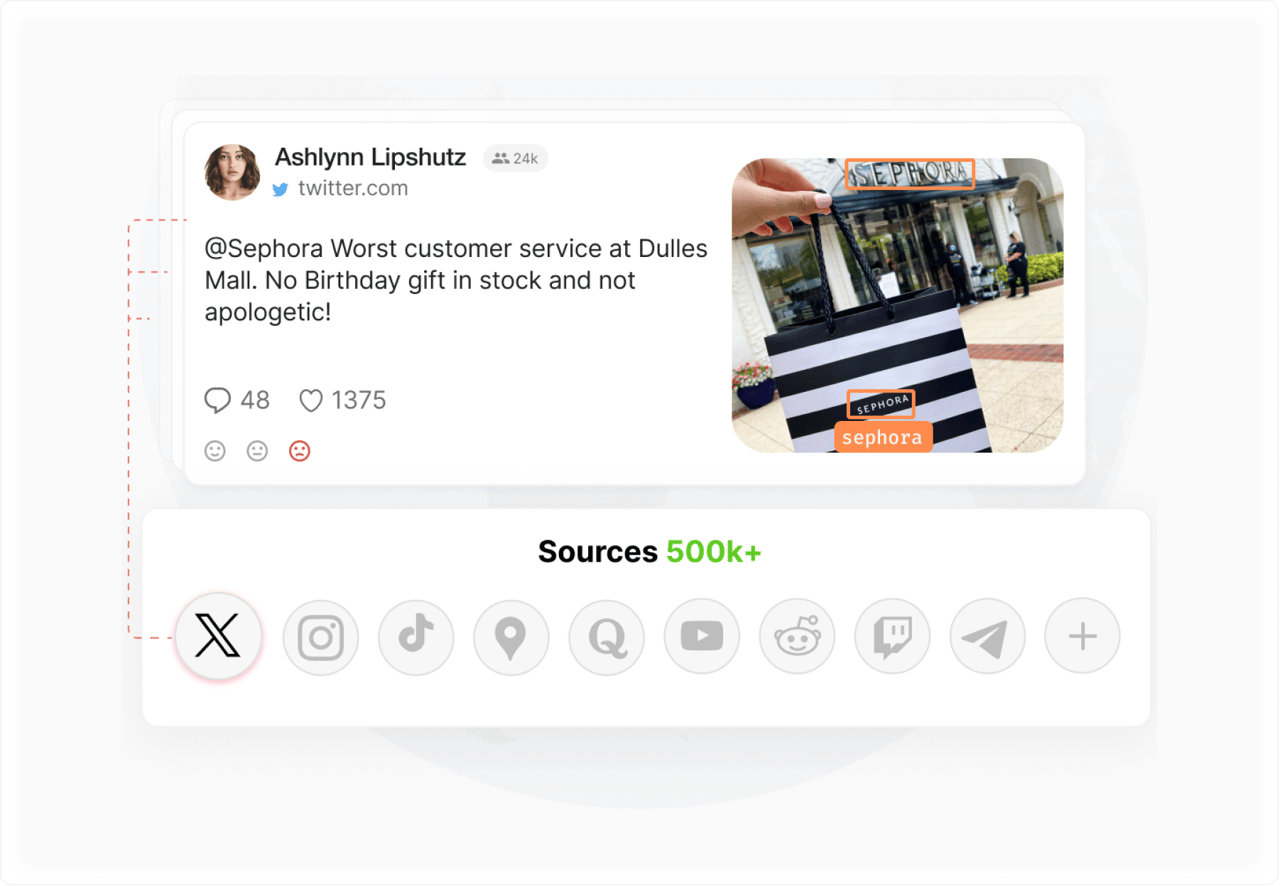
Teams with more than 40% false positive alerts are running searches that are too broad. Real signals get buried. Understanding the difference between social monitoring and social listening can help clarify which query type to use for which goal.
Trend and topic monitoring
OR-heavy strings work well for tracking a concept across all the ways an industry talks about it:
("social listening" OR "social monitoring" OR "brand monitoring") AND (tool OR platform OR software OR app)
Audience and product research
Combine product keywords with buying intent language to find people mid-decision:
("[product]" OR "[product category]") AND ("worth it" OR "recommend" OR "should I buy" OR "best" OR "review")
What people say while they are deciding is different from what they say after. That distinction is worth tracking.
Boolean operators in YouScan: practical guidance
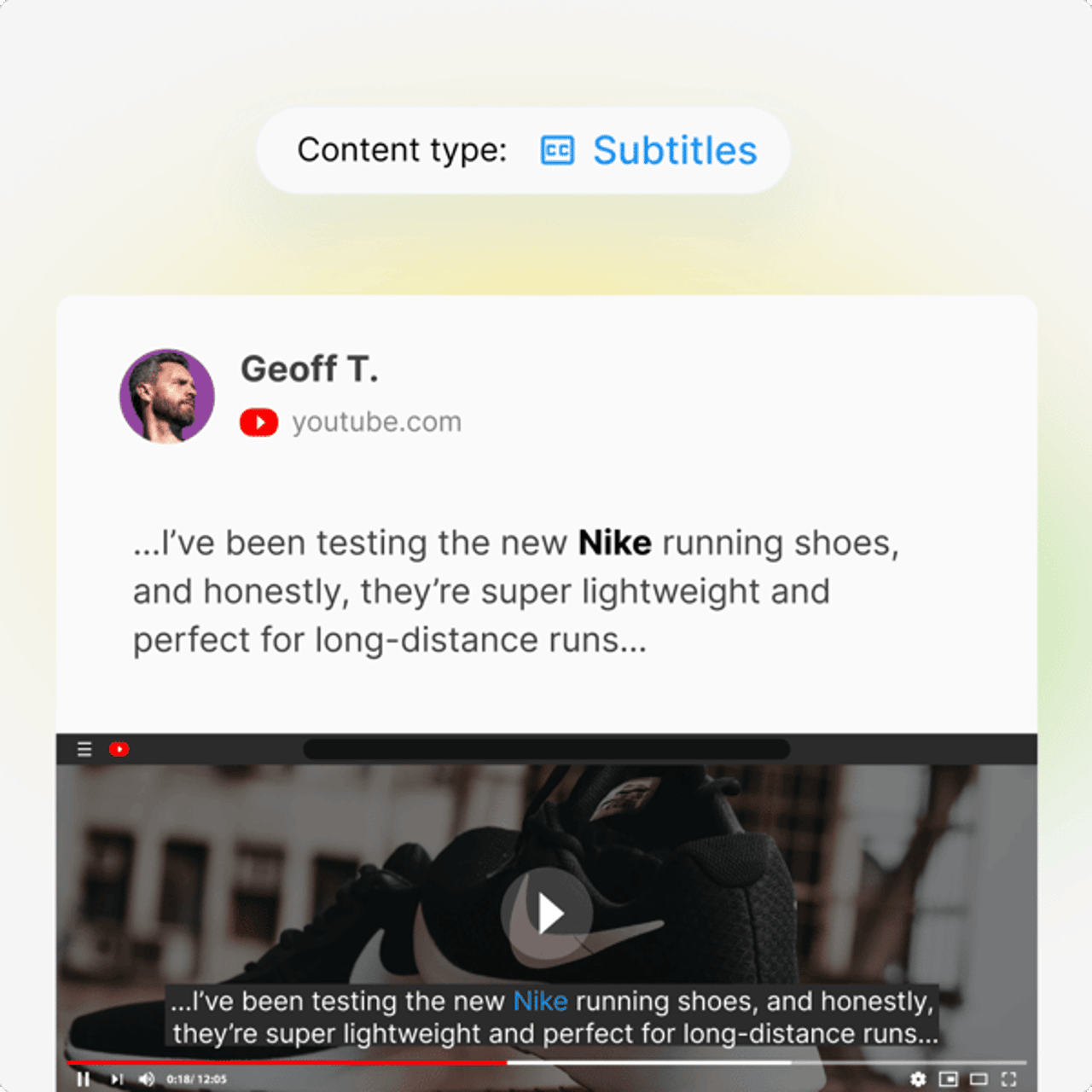
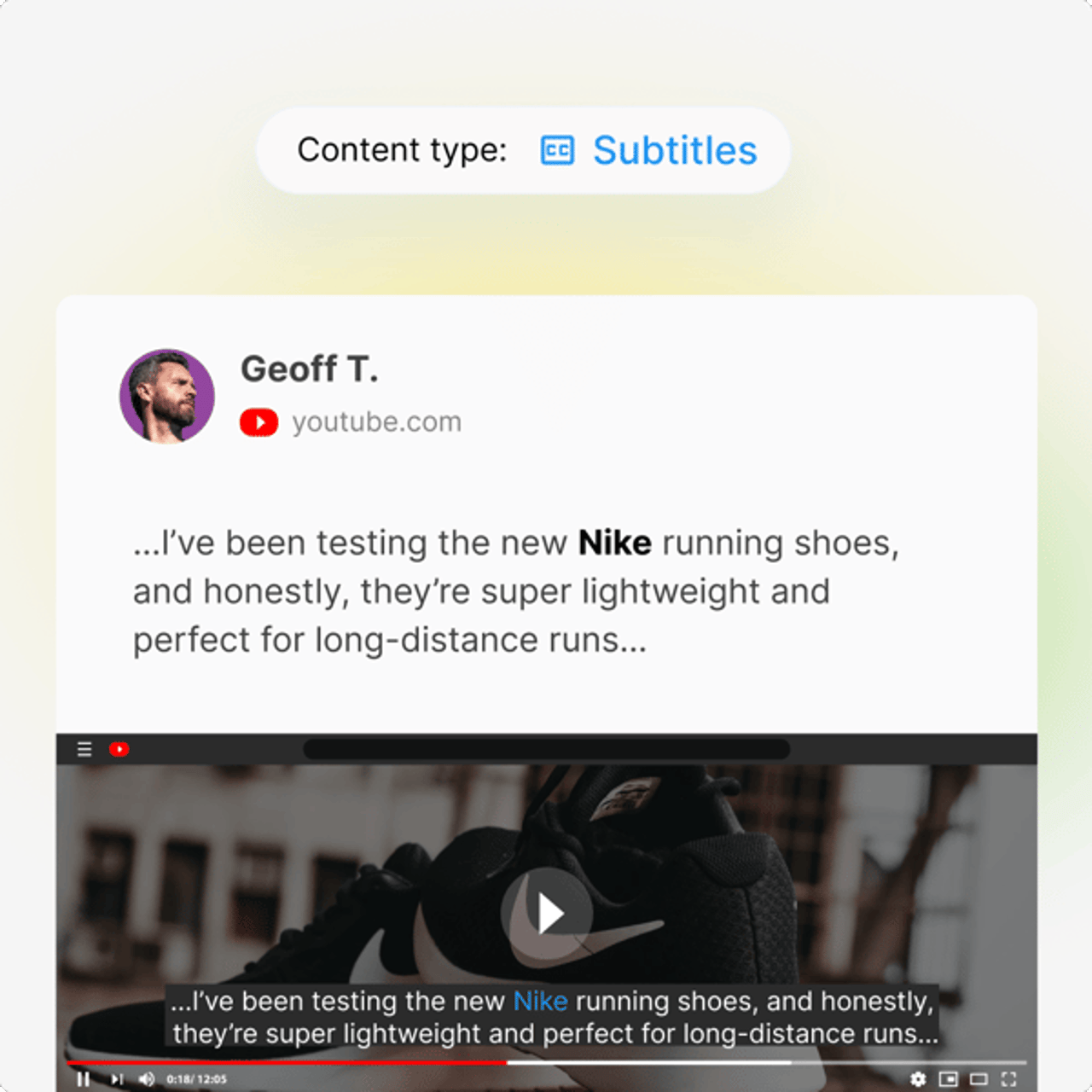
YouScan supports the full set—AND, OR, NOT, the "" operator, parentheses, wildcards—across all monitored sources simultaneously: social media, news, blogs, forums, review sites. One search string, everywhere.
A few things work differently in YouScan than in other search environments. A space between keywords acts as AND—writing coca cola is equivalent to coca AND cola, and both return the same search results. The /N syntax specifies distance between keywords: /1 means words appear adjacent with only a space between them, while /3 allows up to three words apart. This is more flexible than exact matching and more precise than AND alone.
Wildcards require a minimum character stem—the asterisk *) works after at least four characters, so comp* is valid, but c*mp is not. Additional source-specific and author-based filters are accessible via CTRL + Space on Windows or Option + Space on macOS. Multi-line search strings are also supported, which makes long or complex strings easier to read and debug.
For the complete reference—all supported features, syntax rules, and query limits—see the search query language guide in YouScan's knowledge base.


If this is all overwhelming and you are new to this, AI Query Assistant handles it for you. Type a plain-language prompt—' track mentions of barefoot sneaker brands '— and the tool builds a complete string in seconds, including relevant term variations you might not have thought to add. It works equally well for power users who need to build or iterate on strings at scale. Available to all users with topic creation permission under Create Topic in your account.
The guided query builder is useful for teams where not everyone is comfortable writing Boolean syntax by hand. It builds each query step by step, eliminating the most common errors: unclosed parentheses, OR groups that are too broad. That is what makes social listening dashboards accessible to analysts and non-analysts alike.
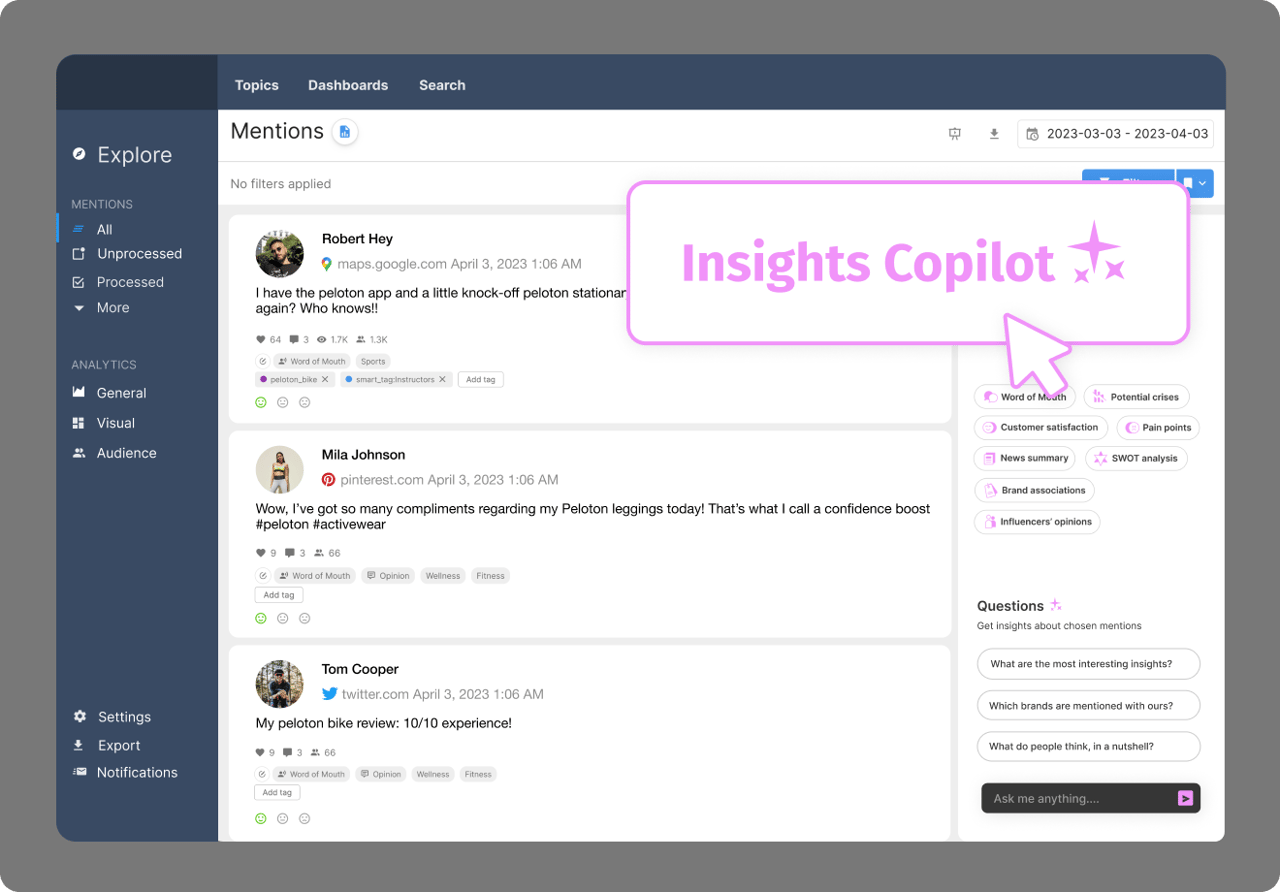
Insights Copilot handles natural-language questions about your data without requiring you to rewrite the search string. Visual monitoring adds logo recognition for brand appearances with no keywords—across 30+ sources, 200+ languages.

Common boolean operator mistakes and how to avoid them
Forgetting to group OR terms in parentheses
The most common mistake. Without parentheses, "brand" OR "product" AND complaint runs as "brand" OR ("product" AND complaint)—all brand mentions plus product complaints, not brand-or-product complaints. Wrap your OR groups: ("brand" OR "product") AND complaint. This is what is happening when results come back looking wrong and you cannot figure out why.
Over-using NOT and losing relevant mentions
NOT excludes every result containing that keyword—even results where the context is exactly what you were looking for. It is helpful to review a sample of the data before adding NOT exclusions. If a keyword shows up consistently in irrelevant posts, cut it. If it is mixed, use more specific phrasing rather than a broad NOT.
Using AND when OR is needed for related terms
The string "social listening" AND "social monitoring" returns only posts containing both phrases—rare, since these are synonyms that mean the same thing. Related terms go in OR groups: "social listening" OR "social monitoring". Another example of this mistake: "SEO" AND "search engine optimization" when you want either, not both.
Not accounting for misspellings and abbreviations
A string built on the official name alone misses every misspelling, abbreviation, and handle: ("Coca-Cola" OR "Coca Cola" OR "CocaCola" OR "@CocaCola"). Four connected keyword forms for one brand. That is not unusual—most brands have at least that many.
Platform-specific syntax differences
Boolean search syntax is not universal. Academic databases require operators in ALL CAPS. Some platforms use AND NOT instead of NOT. Google supports the "" operator and the minus sign and largely ignores everything else—in fact, Google will return results even if your AND operator is missing entirely.
This is exactly what college students discover when they move from university library databases to a web search engine: the same search terms can produce completely different results in a different sentence context, because each platform handles the syntax differently. Check documentation before you deploy anything complex anywhere new.
Conclusion
A few well-placed boolean operators will do more for your monitoring data than any platform upgrade. AND, OR, NOT, the "" operator, parentheses—together they give you real control over what comes back in your search results and what gets filtered out.
The mistake most teams make: treating their strings as finished. The gap between 500 irrelevant mentions a day and 80 useful ones is usually a tighter OR group, a better-placed NOT exclusion, and parentheses in the right place.
For brands monitoring across multiple channels, book a YouScan demo to see what a well-structured query looks like in practice.
FAQ
What are Boolean operators?
Boolean operators are words and symbols—AND, OR, NOT, the "" operator, parentheses, and wildcards—used in a search to narrow or broaden results. They describe the logical relationship between keywords and determine which results the search returns. When you conduct a boolean operators search, the platform requires all specified terms to be present in results for AND, and accepts any term for OR.
What are the main boolean operators?
AND, OR, and NOT are the three primary tools. AND filters results to those containing all keywords. OR widens the result set by accepting any of the keywords. NOT removes results that contain a specific term. Supporting symbols include quotation marks (for phrase matching), parentheses (for grouping and setting order of operations), and the asterisk (for matching word forms and variations).
What does AND do in a boolean search?
AND narrows a boolean search by requiring all connected search terms to appear in every result. Searching social AND listening returns only content contained within results for both words. In social listening, AND connects a brand keyword with a topic—"BrandName" AND complaint—to isolate specific conversations from general brand mentions. Every result must contain all connected keywords.
What does OR do in a boolean search?
OR expands a boolean search by returning results that contain any of the connected search terms. It is most useful for grouping abbreviations, alternate keyword forms, and related terms that mean the same thing. In social listening: ("BrandName" OR "@BrandHandle" OR "Brand Name" OR "common misspelling") ensures every keyword variant is captured. OR always increases the result count—by design, not a bug.